

Mobile apps change constantly. New features ship weekly. OS versions update. Devices vary by size, resolution, and behavior.
Testing has to keep up.
Traditionally, mobile test automation required engineers to write scripts using tools like Appium or Selenium. These frameworks are powerful, but they require programming knowledge, environment setup, and ongoing maintenance.
No-code mobile test automation is the process of creating automated mobile app tests using visual workflows instead of writing test scripts in code-based frameworks.
Instead of programming automation logic, users build tests through visual interfaces, recorded interactions, and structured step-based editors.
In simple terms: you automate mobile testing without writing code.
What Does “No-Code” Mean in Mobile Testing?
In mobile app testing, no-code usually means:
- Creating test cases through a visual interface
- Recording real user actions (tap, swipe, type)
- Editing steps in plain language
- Running tests across devices without writing scripts
The goal is to make automation accessible to QA analysts, product teams, and non-developers and not just automation engineers.

Most no-code tools generate automation logic behind the scenes. Users interact with structured workflows rather than maintaining raw test code.
How No-Code Mobile Test Automation Works
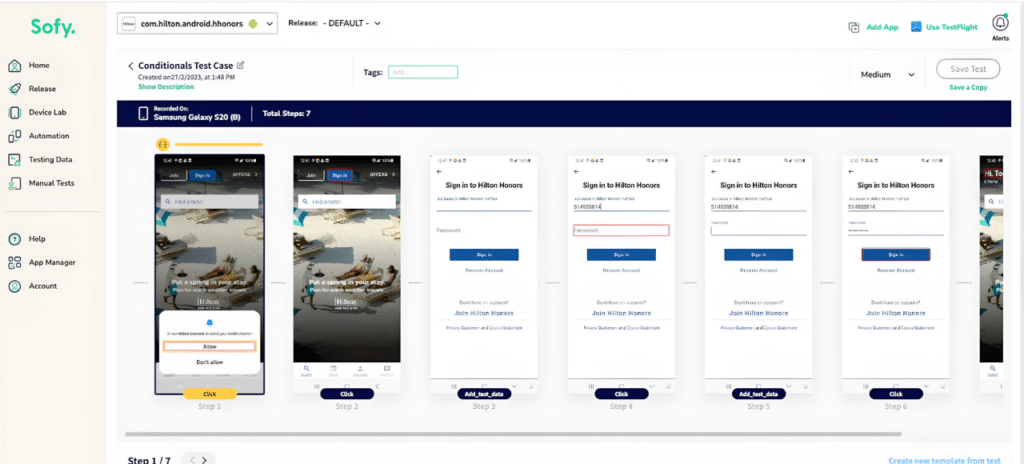
Test Creation:
Users create automated tests through visual workflows by interacting directly with the mobile app. Actions such as tapping, swiping, and entering text are captured as structured test steps.
Test Execution:
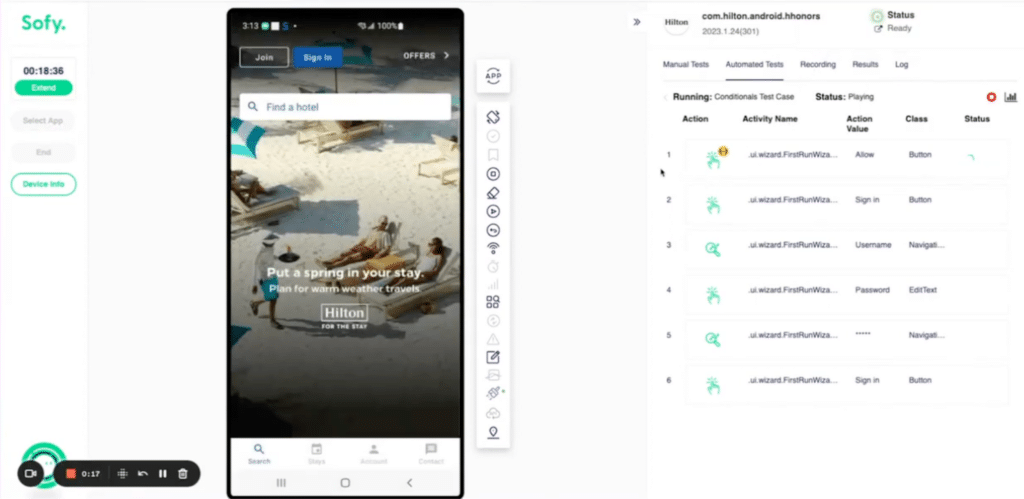
Tests are run across devices and operating systems, often in cloud environments, and can be integrated into CI/CD pipelines for regression validation.
Test Maintenance:
Instead of rewriting scripts when UI changes occur, teams update workflow steps. Some platforms also use smart locators or reusable templates to reduce test flakiness.Instead of managing automation code, teams manage repeatable user-journey workflows.

Key Characteristics of No-Code Mobile Testing
Most no-code mobile automation tools include:
- Visual test builders
- Record-and-replay functionality
- Cloud device execution
- Regression and smoke test support
- CI/CD integration options
- Test result dashboards
The focus is accessibility and speed of implementation.
No-Code vs Low-Code Mobile Test Automation
The terms no-code and low-code are often used interchangeably, but they are not identical.
| Feature | No-Code Mobile Testing | Low-Code Mobile Testing |
| Coding Required | None | Minimal scripting may be required |
| Primary Users | QA analysts, product teams | QA engineers, SDETs |
| Test Creation | Visual workflows, recorded actions | Visual builder + optional script editing |
| Custom Logic | Limited advanced scripting | Can insert custom code |
| Maintenance | Workflow updates via UI | Combination of UI and code updates |
| Best Fit | Teams starting automation | Teams scaling complex automation |
In practice, some organizations begin with no-code to increase automation coverage quickly. As testing complexity grows, they may adopt low-code or script-based frameworks for advanced scenarios.
The appropriate approach depends on team structure, technical maturity, and release velocity.
When Teams Use No-Code Mobile Test Automation
No-code mobile testing is commonly used for:
- Regression testing before releases
- Smoke testing after builds
- Cross-device validation
- Continuous integration (CI/CD) workflows
- Transitioning from manual testing to automated testing
It is especially common among teams evaluating modern mobile app testing platforms but without dedicated automation engineers.
How Sofy Applies the No-Code Model to Mobile Testing
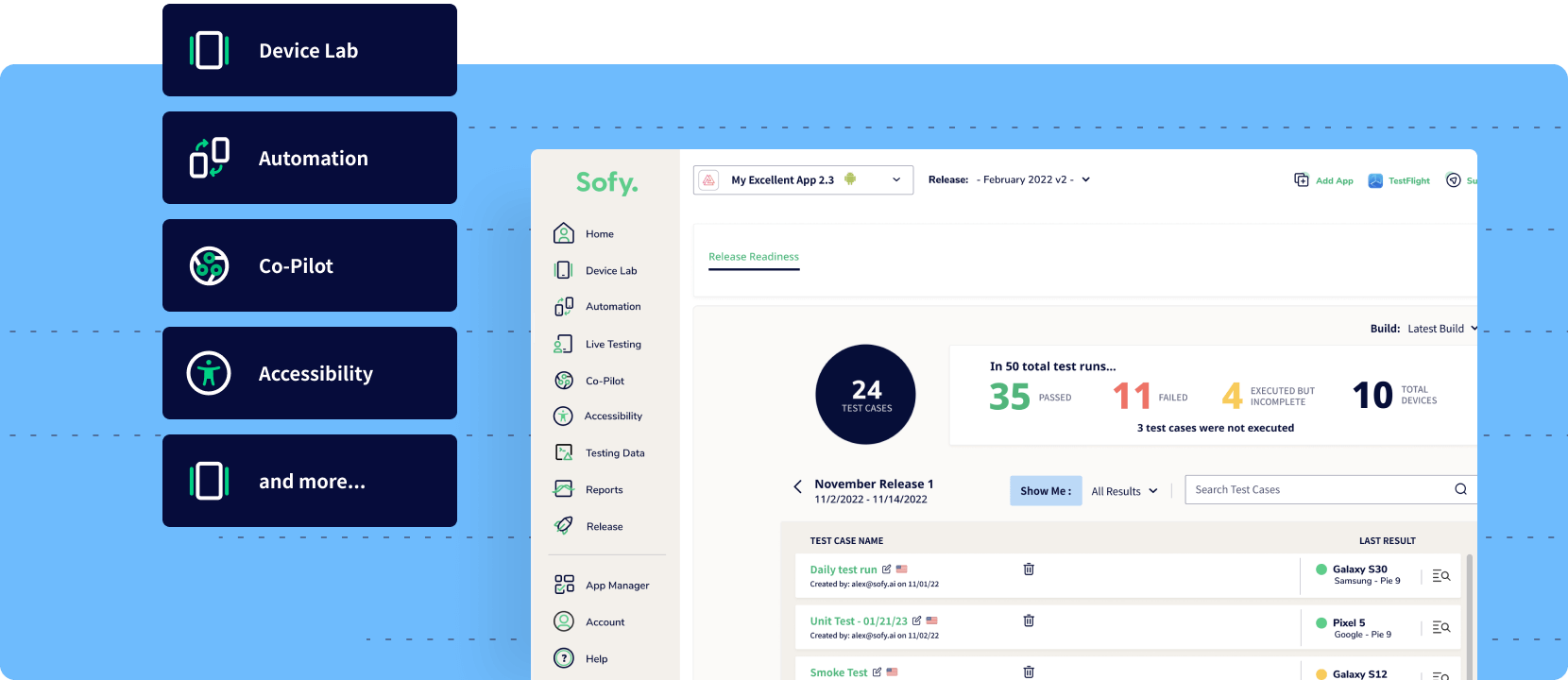
Sofy.ai is a mobile-first, no-code test automation platform built specifically for mobile application testing.
Rather than requiring teams to configure and maintain scripting frameworks, Sofy enables users to create structured test workflows through a visual interface and execute them across real Android and iOS devices in the cloud.
In addition to workflow-based automation, Sofy combines:
- Real device access (100+ Android and iOS devices)
- Parallel test execution for faster regression cycles
- CI/CD integration
- AI-assisted test creation and device selection
- Smart locators and templates to reduce test maintenance
Instead of managing scripts and device labs separately, teams can centralize mobile testing within a single platform.
Within the broader ecosystem of mobile test automation tools, Sofy fits into the no-code segment, with a focus on scalable regression testing and reduced automation maintenance overhead.
Conclusion
No-code mobile test automation makes it possible to automate mobile app testing without writing and maintaining scripts. By using visual workflows instead of code-based frameworks, teams can build and execute regression tests more quickly and with less technical overhead.
For organizations seeking scalable mobile testing without managing complex automation infrastructure, no-code platforms offer a practical and accessible approach.
Frequently Asked Questions
Yes. No-code mobile testing platforms can support regression testing, smoke testing, and CI/CD workflows. However, highly complex backend logic or deeply customized test cases may require low-code or script-based solutions.
The terms are often used interchangeably. Both describe automation platforms that allow users to create and execute tests without manually writing scripts.
No-code tools can reduce the need for script-based frameworks in many scenarios. However, highly specialized testing requirements may still rely on traditional frameworks like Appium, Espresso, or XCUITest.




